
Two drones can list the same video resolution and produce footage that looks completely different. The reason is usually stabilization. A drone tilts to move, and without something to keep the camera level, that tilt ends up in your video. This guide explains the difference between gimbal cameras, fixed cameras and electronic stabilization so you know what you are buying.
Key takeaways
- A mechanical gimbal keeps the camera level while the drone tilts, giving smooth video.
- Fixed cameras tilt with the drone, which is fine for FPV and fun but not for calm footage.
- Electronic stabilization helps, but usually crops the image and struggles in low light.
Why drones need stabilization
A quadcopter moves by tilting. To fly forward, it tips its nose down; to go sideways, it rolls. Wind adds constant small movements. A camera fixed rigidly to the frame records all of this: the horizon tilts, the image vibrates and fast movements look jerky.
How a gimbal works
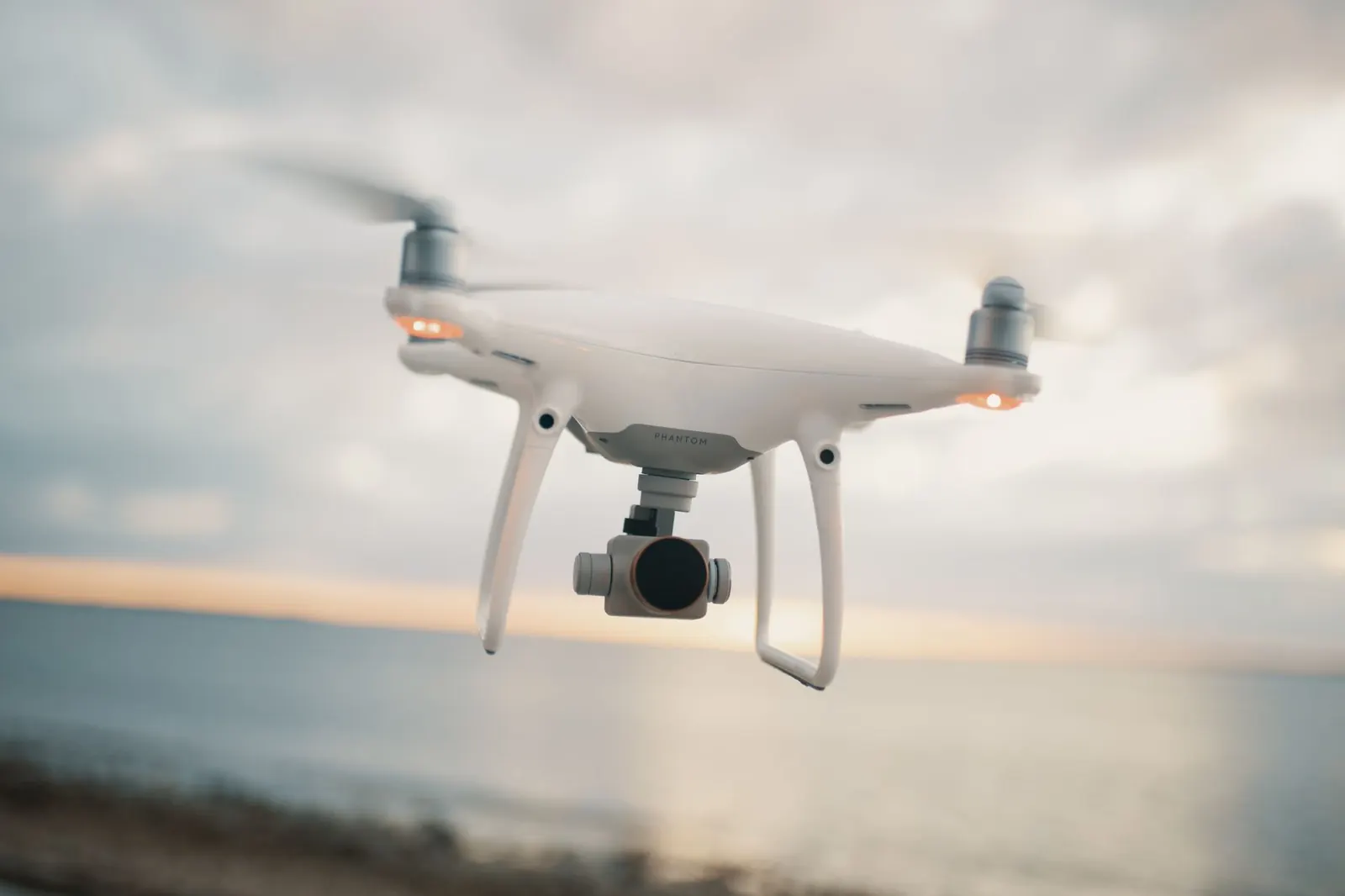
A gimbal is a motorized mount that holds the camera and moves it opposite to the drone’s motion, keeping it level and steady. Most camera drones use a three-axis gimbal, correcting tilt, roll and pan. Some smaller drones use two-axis gimbals and correct the third axis electronically. Gimbals also let you tilt the camera up and down smoothly during a shot.
How electronic stabilization works
Electronic image stabilization analyzes the video and shifts the frame to cancel movement. To do that, it crops part of the image, which can reduce the field of view and detail. It works best in good light; in dim conditions it can cause blur or jello-like distortion.
Where fixed cameras make sense
Fixed cameras are common on FPV drones, where the pilot flies through goggles and the tilted view is part of the experience. Many FPV pilots stabilize footage later with software. Fixed cameras are also common on toy drones, where the camera is a bonus rather than the main feature.
Comparison at a glance
| Mechanical gimbal | Electronic only | Fixed | |
|---|---|---|---|
| Smoothness | High | Medium | Low |
| Image crop | None | Some | None |
| Low light | Good | Weaker | Depends |
| Fragility | More delicate | Robust | Robust |
| Typical use | Camera drones | Small drones | FPV and toys |
Which one fits
If you want calm travel, landscape or family video, choose a drone with a mechanical gimbal. If you want fast, immersive flying and do not mind post-processing, a fixed camera FPV drone fits. If you are buying a toy or trainer, stabilization is less important than durability.
Caring for a gimbal
Gimbals are delicate. Use the gimbal cover or clamp during transport, keep the camera clear of sand and grass on takeoff, and let the gimbal finish its startup check before moving the drone. If the horizon looks tilted, many drones offer a calibration in the app.
Tip: Take off from a clean, flat surface such as a landing pad. Grass and gravel can block the gimbal during its startup check and cause error messages.
Gimbals and weight
Gimbals add weight, which matters for small drones near the FAA’s 250-gram registration threshold for recreational flyers. Manufacturers balance this carefully, so adding accessories to a light drone can change the picture. Weigh the drone as you plan to fly it.
Gimbal modes worth knowing
Many drones offer more than one gimbal mode. A follow mode keeps the horizon level while the camera turns smoothly with the drone, which suits most video. An FPV-style mode lets the camera roll with the aircraft for a more dynamic look. Some drones also let the camera rotate for vertical shots, useful for phone-first social media. Knowing these modes before buying helps you compare drones that look alike on paper.
Testing stabilization before you buy
If you can, watch unedited clips from the drone filmed on a windy day, or ask a store to show the gimbal working. Look at the horizon in the footage: it should stay level during turns. Watch fine details such as leaves or water for small vibrations. These tests tell you more than any number on the box.
Common mistakes
- Judging a drone only by resolution.
- Transporting the drone without the gimbal protector.
- Expecting electronic stabilization to match a gimbal at dusk.
- Buying an FPV drone for calm cinematic shots without planning to stabilize later.
Frequently asked questions
Is a two-axis gimbal enough?
It can be, especially with electronic correction for the third axis. For demanding video, a three-axis gimbal is more common.
Can software fix shaky footage?
Stabilization software helps, but it crops the image and cannot fully rescue heavy vibration.
Why do FPV drones not use gimbals?
FPV pilots want the camera to move with the drone for an immersive view, and fixed cameras are lighter and tougher.
See also Choosing a Camera Drone: What Matters for Photos and Video and FPV Drone vs Camera Drone: Two Very Different Hobbies.